Early access Australian Years 3–12 · NSW curriculum first

See where your child really is in five minutes. Then a tutor that asks before it tells.

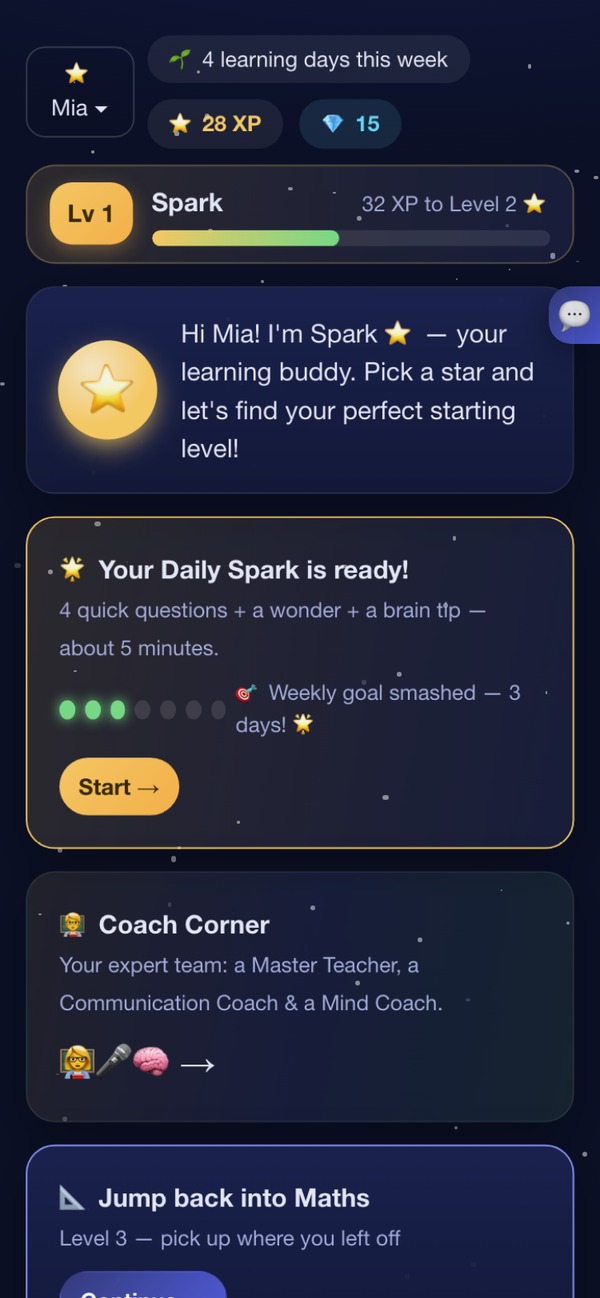
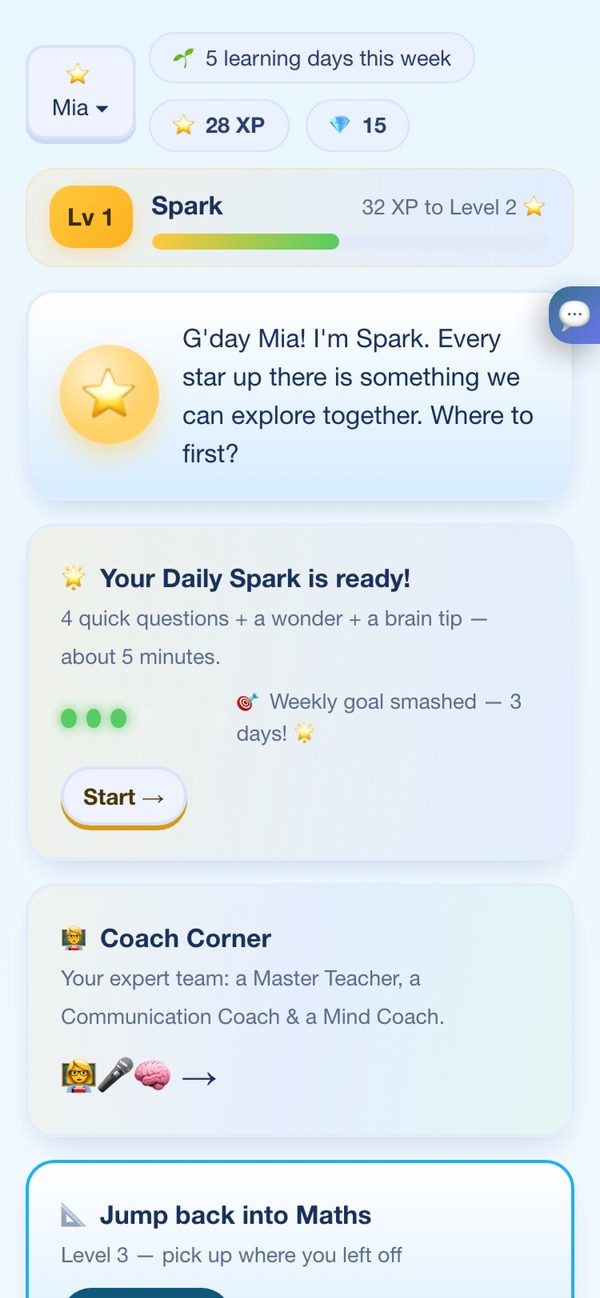
SparkIQ home screen for a Year 6 learner: a greeting from Spark the star, and a Daily Spark card ready with four quick questions, a wonder and a brain tip.SparkIQ home screen for a Year 6 learner: a greeting from Spark the star, and a Daily Spark card ready with four quick questions, a wonder and a brain tip.

The real home screen: one five-minute Daily Spark, then done.

Private, step-by-step help for Australian students in Years 3–12, NSW curriculum first. When your child says “just tell me”, SparkIQ answers with a hint, a better question, and — only after real tries — the working. Each week, the parent area shows what they practised and, once there is enough practice to say, a strength and a next step.

Preparing for NSW OC or Selective? There is also calm, timed practice in the style of those tests, built for the years they happen. See exam prep. It is original material, not real past papers.

No card. Try a sample lesson with no sign-up. To save progress, you add a nickname, a school year and your email, then hand them the phone. You also choose a parent PIN when you sign up.

  • Sample lesson without signing up
  • About five minutes a day, then done
  • A weekly summary for parents: see an example
  • A nickname, a school year and a curriculum, nothing else
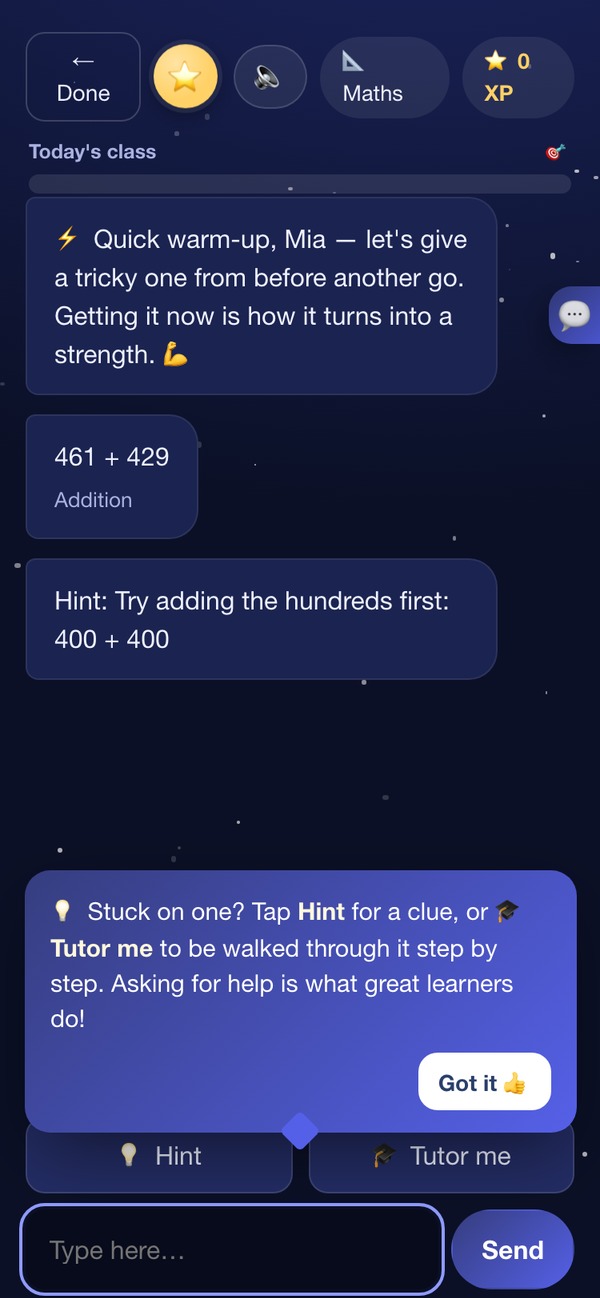
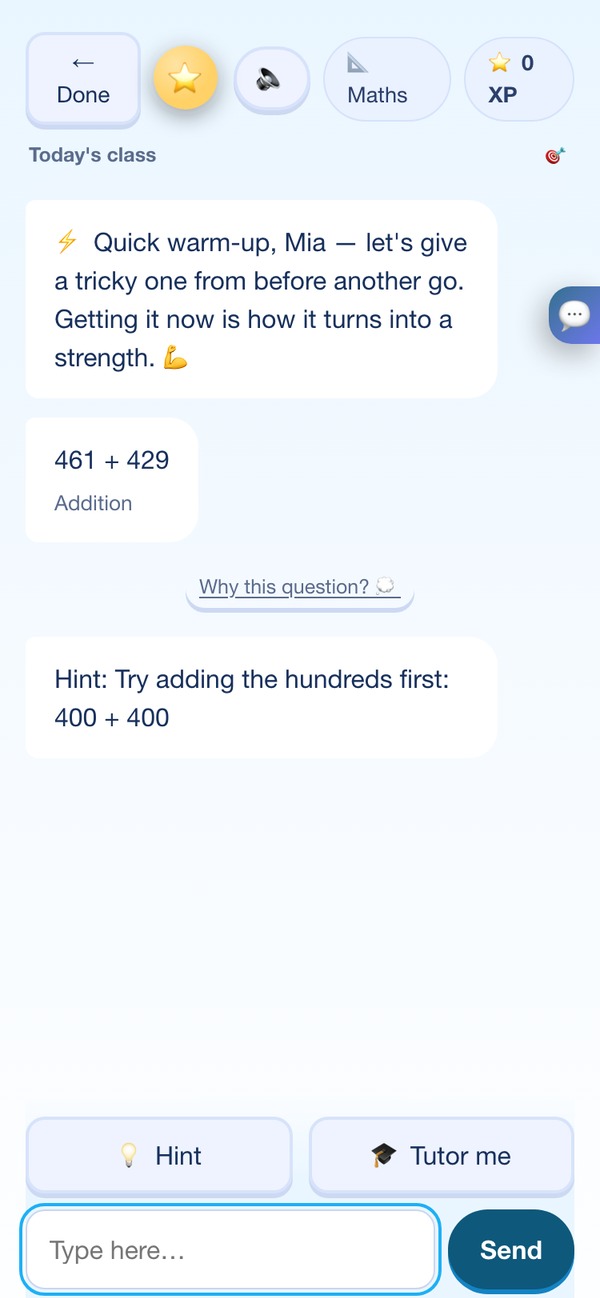
A SparkIQ maths lesson: the child answers 461 + 429, and the tutor offers a hint — 'Try adding the hundreds first: 400 + 400' — before the child tries again.A SparkIQ maths lesson: the child answers 461 + 429, and the tutor offers a hint — 'Try adding the hundreds first: 400 + 400' — before the child tries again.
The tutor

It won't give your child the answer. That's the point.

SparkIQ is built to make your child do the thinking, because that's the part that lasts. When they're stuck, help arrives in steps — never as a finished answer they can copy.

  1. A hintA small nudge in the right direction, like "line up the decimal points".

  2. A guiding question"What do you notice first?" Thinking out loud, together.

  3. The worked solution, after genuine triesShown step by step, then saved for spaced review so it stays learned.

How SparkIQ explains a mistake

It doesn't just say “wrong”. It names the mix-up.

In Maths, when a child picks an answer that follows a common wrong idea, SparkIQ says which idea it was, kindly, and re-teaches that one thing, with a picture.

This wording is written in advance by us, not generated by AI, and it is the app's actual text, shortened a little. Today it covers 14 fraction and percentage ideas. Other topics get general hints instead. The quick check has no score and no XP.

Example · not a real child's session
TutorBefore we start, one quick look at how you think about it. There's no score — any answer helps me teach you better!

Three identical muesli bars are cut into equal pieces. Which single piece is biggest?

  • 1/8 of a bar
  • 1/3 of a bar
  • They're all the same, because each is one piece
Your child1/8 of a bar
Tutor

That's a really common way to think about it — lots of people do, so let's sort it out together.

The mix-up: “Thinking a bigger bottom number means a bigger piece”

A bigger bottom number means more pieces cut from the same whole, so each piece is smaller, not bigger — 1/8 is smaller than 1/4, even though 8 is the bigger digit.

1 1/3 1/8
What the AI decides

The AI tutors. It doesn't grade, and it doesn't decide.

Whether a skill counts as mastered, what your child practises next, and every practice-paper score is worked out by fixed rules on the device — the same rules every time, for every child. The AI is never asked, and it can't override the answer.

A question your child got right with a hint doesn't buy them credit towards mastered. They have to get it unaided, on three different days, before SparkIQ will use that word about your child.

How it works

Set up in about a minute.

Nothing to install. Setup takes about a minute, then a starting check of about five minutes finds your child's level. Maths, English, science and reasoning, mapped to the NSW curriculum — plus a Curious Corner for the "why does…?" questions that don't fit a subject.

  1. 1

    Set up in a minute

    Add your child as a nickname and a school year, plus your email, and they can start. You also choose a parent PIN when you sign up. That's everything we ask for.

  2. 2

    A few questions to find their level, then real tutoring

    About five minutes of friendly questions find the right starting point. From there it adjusts answer by answer and helps with hints, never shortcuts.

  3. 3

    You see where they actually are

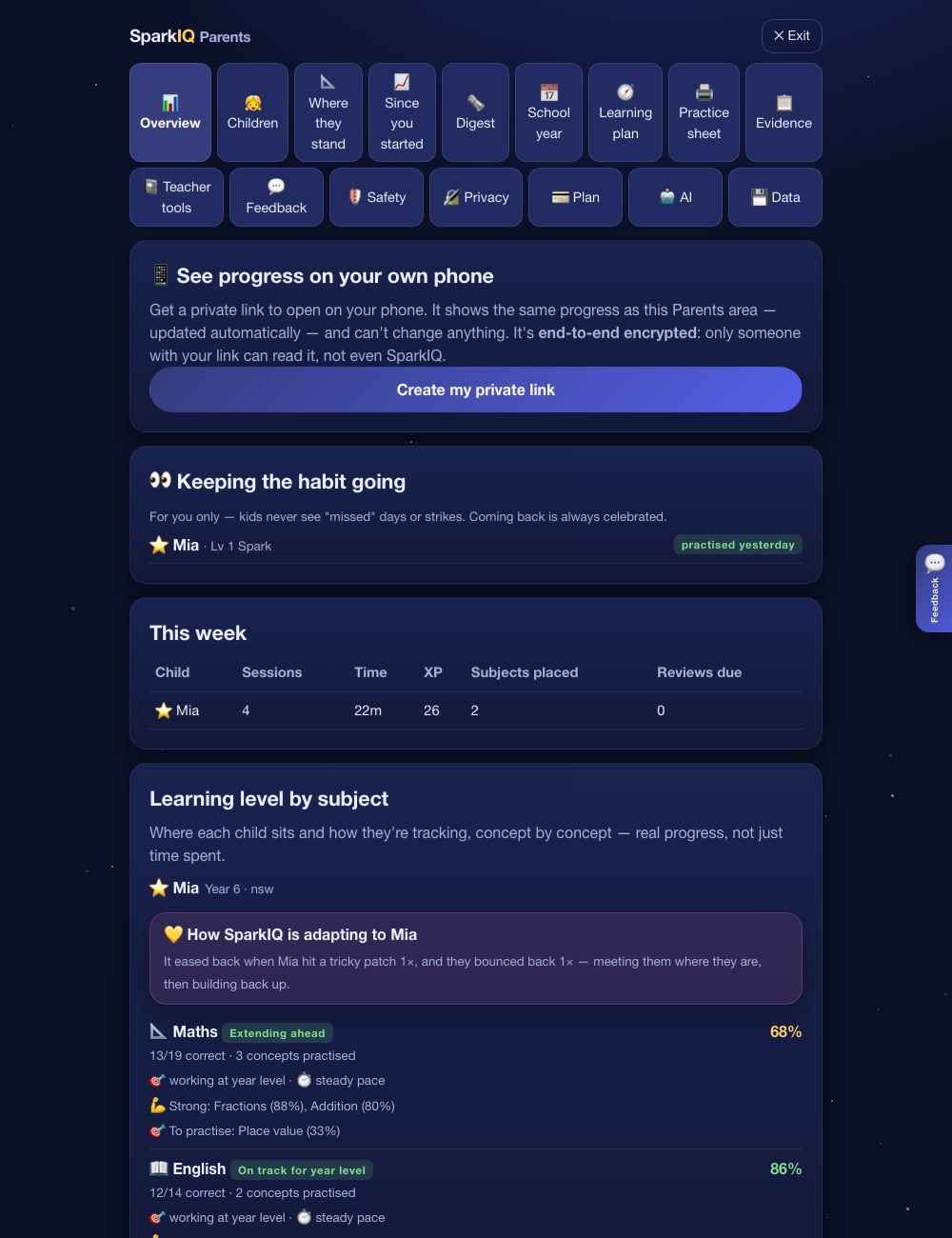
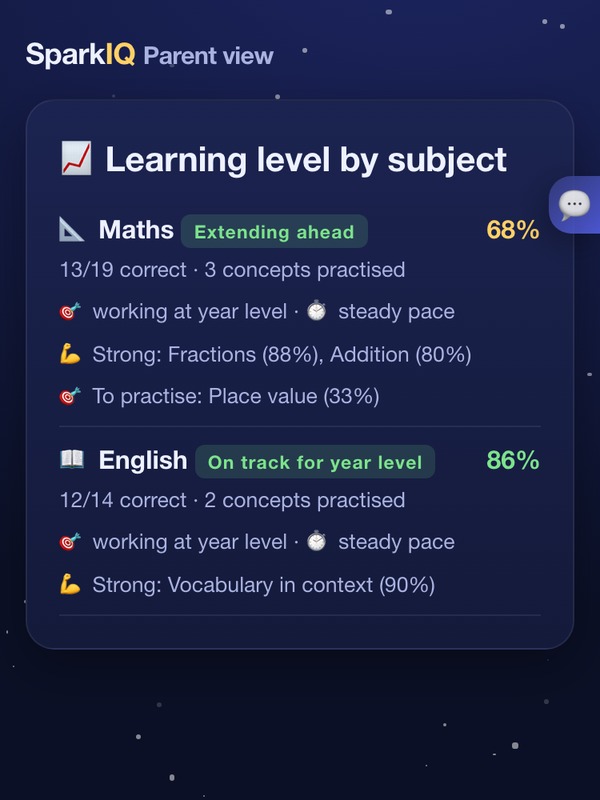
    The parent area shows progress by subject against year level, learning pace, strengths and what to practise next.

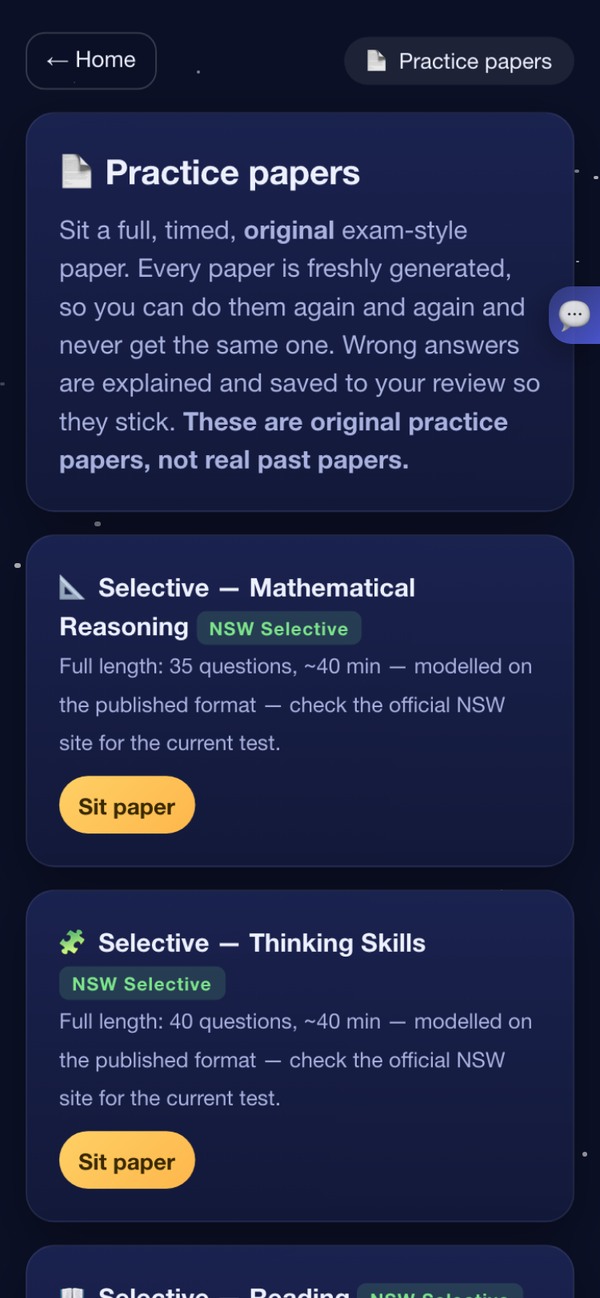
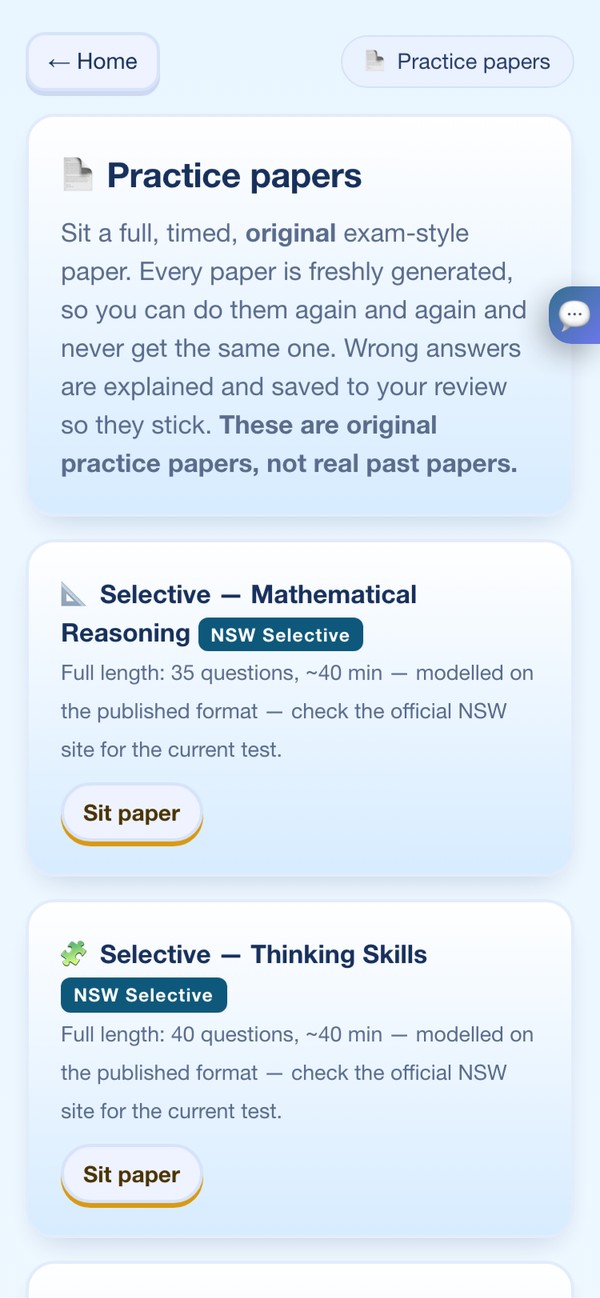
The Practice papers screen: full, timed, original exam-style papers such as Selective Mathematical Reasoning and Thinking Skills, clearly labelled as not real past papers.The Practice papers screen: full, timed, original exam-style papers such as Selective Mathematical Reasoning and Thinking Skills, clearly labelled as not real past papers.
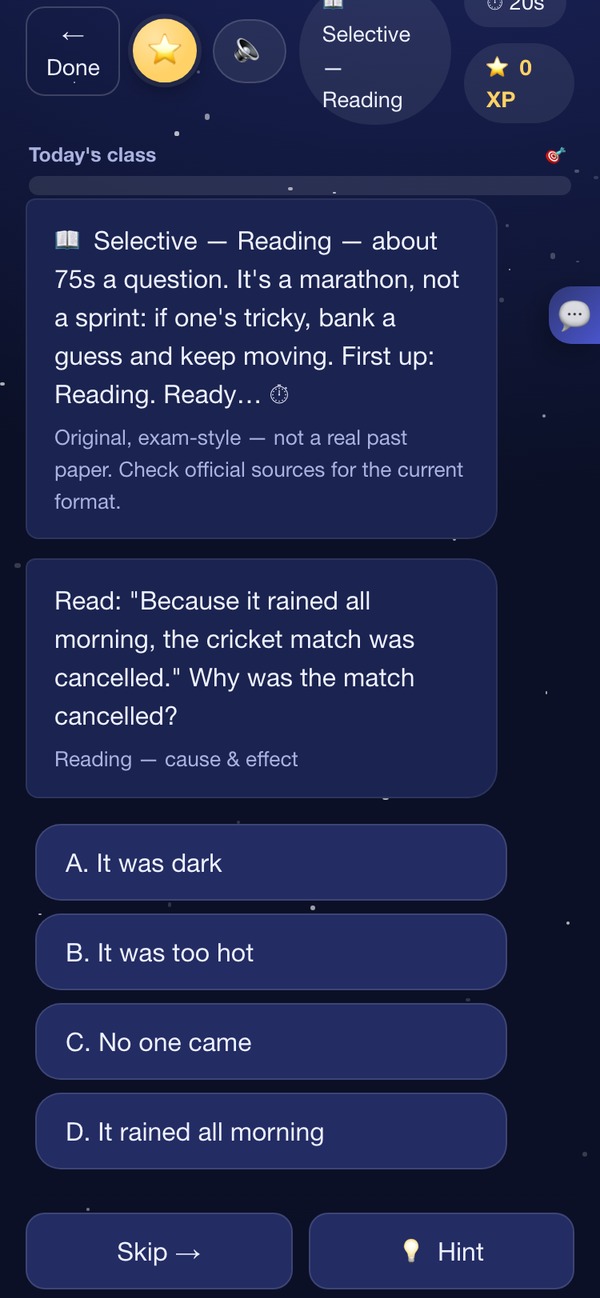
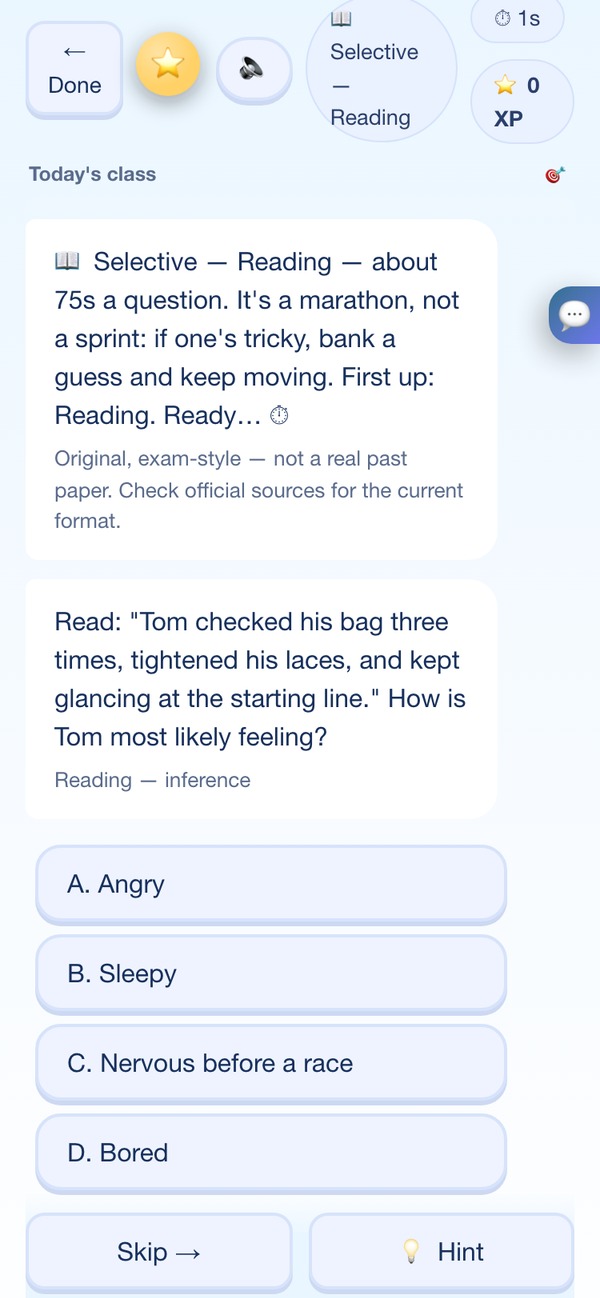
A timed practice question: a reading vocabulary-in-context item with four multiple-choice options and a note that the paper is original, exam-style material.A timed practice question: a reading vocabulary-in-context item with four multiple-choice options and a note that the paper is original, exam-style material.
Exam prep

Practice for the test, without pretending it's a shortcut.

The NSW Department of Education has said it doesn't consider there to be credible evidence that extensive coaching makes a significant difference to a Selective result — the test is built to resist it. What practice genuinely buys your child is two things we can build: knowing the format cold, and not freezing when the clock starts. Timed, original exam-style papers, generated fresh each time, with pacing and worked solutions.

NAPLAN-style OC-style Selective-style
  • Timed, with pacing. Learn to bank a guess and keep moving.
  • Worked solutions. Every wrong answer is explained and saved for review.
  • Writing feedback and an exam coach for strategy and staying calm.

All practice papers are original, exam-style material, not real or official past papers. SparkIQ isn't affiliated with NESA, ACARA or any exam authority and can't promise results. Check the official sources for current formats.

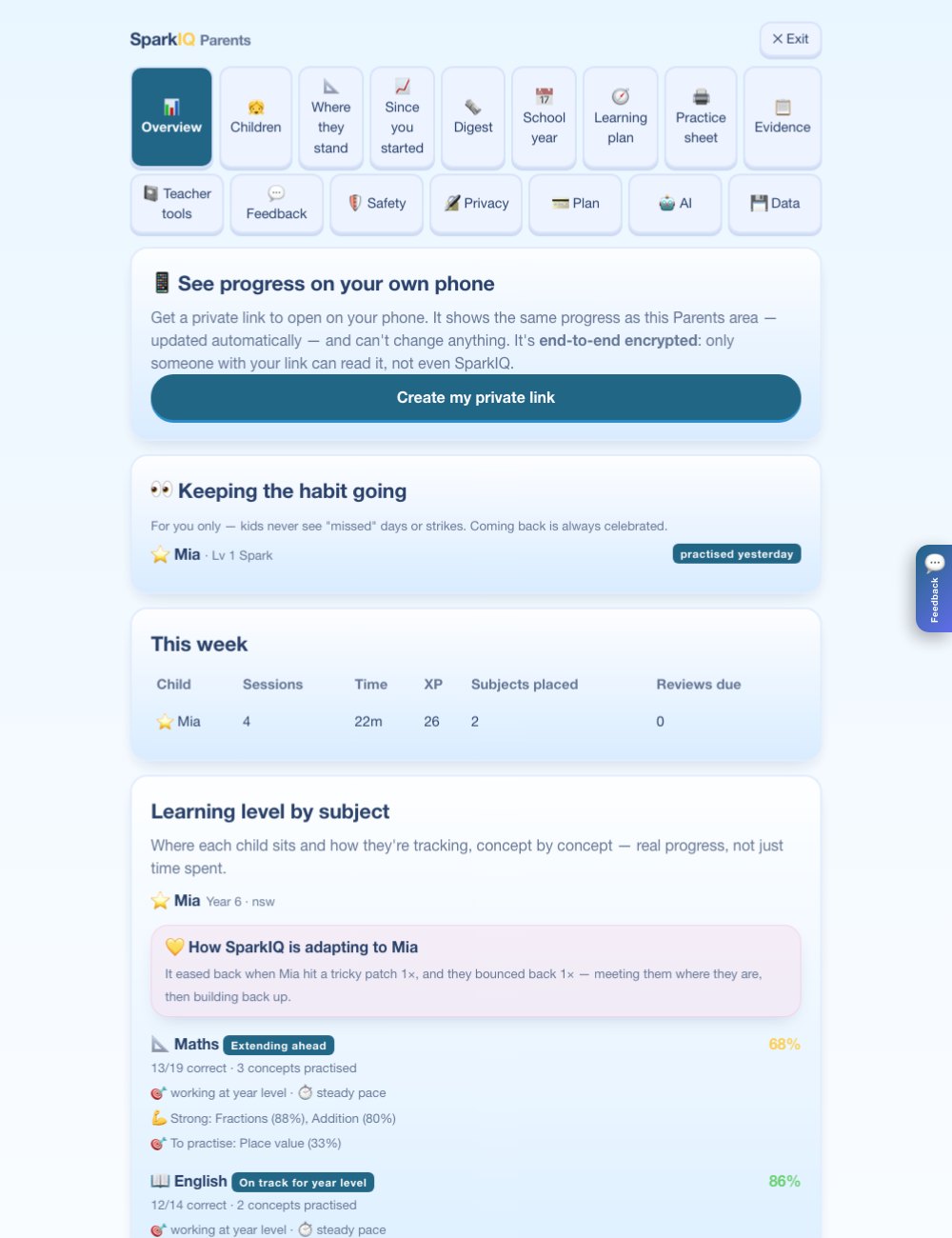
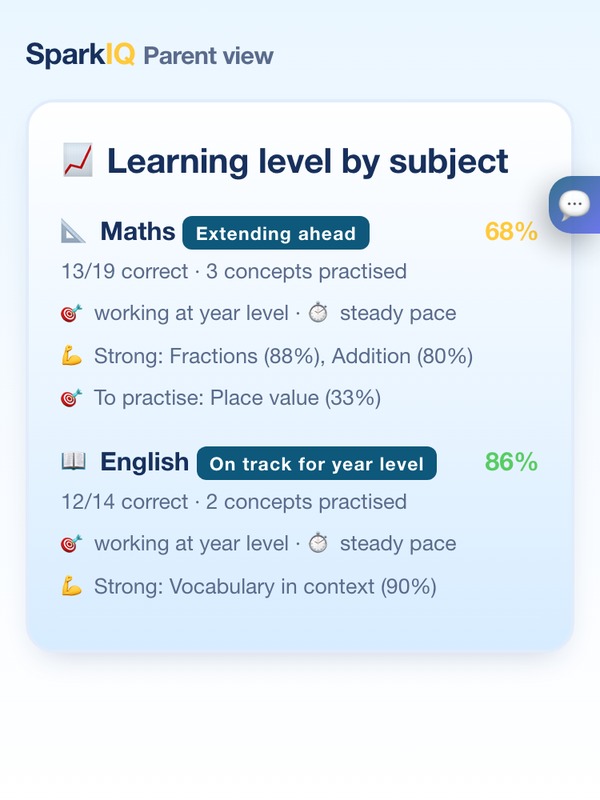
The SparkIQ parent dashboard: an option to see progress on your own phone with an end-to-end encrypted private link, a weekly summary table, and learning level by subject showing Maths on track with Fractions strong and Place value to practise.The SparkIQ parent dashboard: an option to see progress on your own phone with an end-to-end encrypted private link, a weekly summary table, and learning level by subject showing Maths on track with Fractions strong and Place value to practise.

The same picture on your own phone, over an end-to-end encrypted, view-only link.

For parents

See real progress, not just screen time.

A clear, honest picture of how your child is going, and exactly how SparkIQ is adapting to them.

  • Progress by subject compared with their year level.
  • Learning pace, what they're strong at, and what to practise next.
  • A safety log of the care moments SparkIQ recognised. It can't catch everything, so it isn't proof that nothing happened.
  • Your own phone view: a private, end-to-end encrypted, view-only link. It can't change anything.
  • A 💬 feedback button on every page, for kids and parents.
A sample week

What the weekly parent view looks like.

An example with made-up data for a made-up child. It shows the layout and the kind of plain sentences the Parents area writes. It is not a real family, and the numbers are not results.

Example · made-up child, made-up data

Alex — an example week

4 sessions · 35 minutes · 130 XP

SubjectSessionsTimeXP
Maths221m70
English19m40
Daily Spark15m20

This week: 36 answers, 72% right.

Skills covered: place value, comparing fractions, adding fractions

Genuine strength: doing well with place value in Maths (84% correct on SparkIQ practice so far).

Next step: three short goes at comparing fractions would help most this week — currently 48% correct in Maths.

5 minutes together: cut a slice of toast into thirds, then into eighths, and ask which piece is bigger.

In Maths, Alex is working right at their year level, taking their time to get there, and that's fine.

Tonight's question: ask Alex to explain, step by step, how they'd tackle a comparing fractions question from Maths — no pressure, just talking it through.

A factual summary of practice inside SparkIQ. Not a school report, an exam prediction, or a comparison with other children.
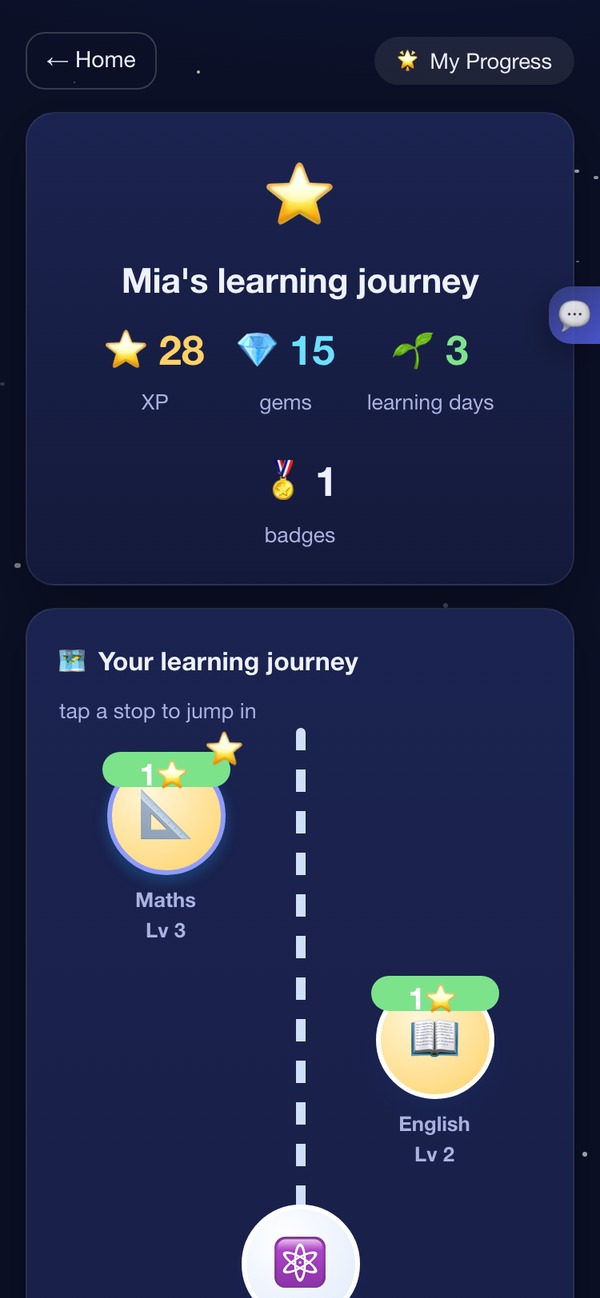
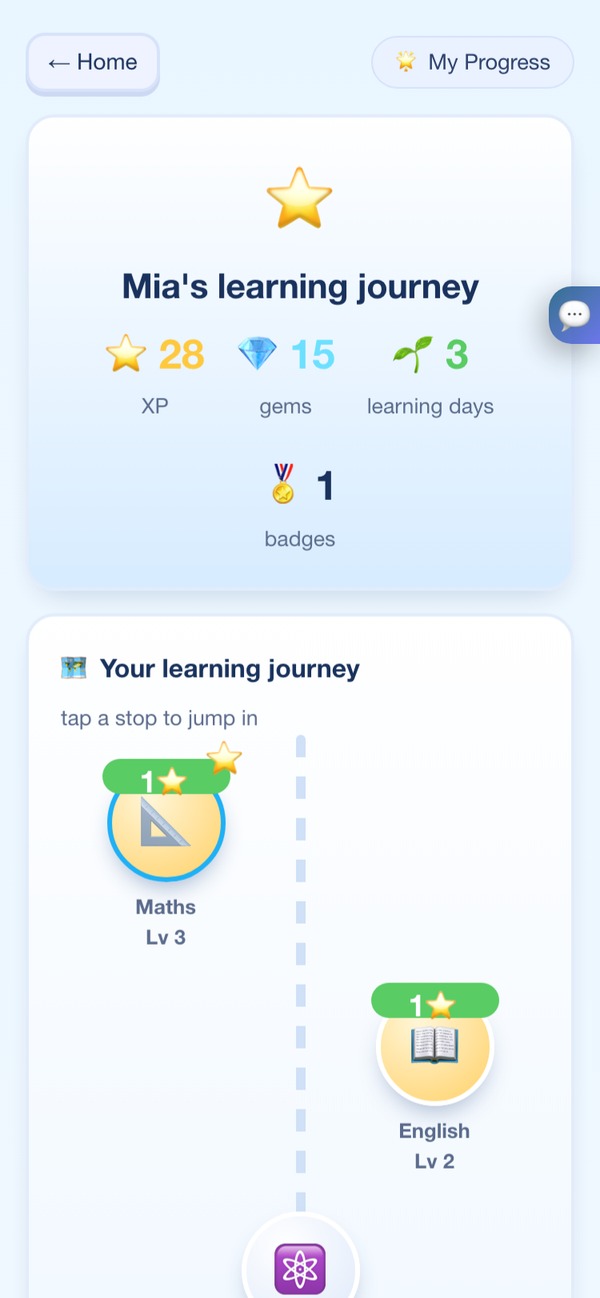
The layout follows the Parents area. The optional weekly email is separate: you turn it on and confirm it from your inbox, and it calls your child “Your learner” instead of using their nickname.

Mia's learning journey: 28 XP, 1 badge and 71% accuracy this week, above a winding map of subjects with Maths at level 3 and English ready to start.Mia's learning journey: 28 XP, 1 badge and 71% accuracy this week, above a winding map of subjects with Maths at level 3 and English ready to start.
Motivation without guilt

Rewards that feel good. Never guilt.

Kids earn and grow, but nothing is ever taken away. Rewards are capped per session, and when it's time for a break, SparkIQ says so and celebrates stopping.

Levels & titlesFrom Spark to Explorer, Builder and beyond.
Gems & badgesEarned for effort and brave tries.
A learning-journey mapEvery subject is a stop to explore.
Daily SparkAbout five minutes a day, then done — sessions end and say so, with no feed to scroll.

What we'll never do

  • Loss-framed streaks
  • Guilt trips to come back
  • Endless feeds
  • Unlimited reward loops

Coming back after a break? They get a warm welcome, not a lecture.

Safety & privacy

Here's what we don't collect, and what the AI isn't allowed to do.

Specific promises you can check for yourself in the app's Parents area.

We barely know your child

A child profile is a nickname, a school year and a curriculum. No real name, photo, birthday or location.

No ads. Nothing sold.

No advertising, no advertising identifiers, and no marketing profile of your child. Nothing about your family is sold or shared for marketing, ever.

Progress stays on the device

Your child's learning history stays on your device unless you turn on cross-device backup or the parent phone view. The phone view is end-to-end encrypted; backup is not. We receive daily usage counts with no names in them, and you can turn those off.

An AI helper with guard rails

The nickname is removed before anything is sent, contact details are blocked, and fixed child-safety rules run on our server with a check on every reply.

You can switch AI off

Go to Parents → AI → Built-in (offline). Tutoring, adapting and practice all keep working without it. AI can sometimes be wrong, so it's a helper, not the final word.

Parents hold the keys

Settings and payments sit behind a parent PIN.

Care is built in, with limits. When SparkIQ recognises signs that a child is upset or unsafe, it pauses and points them to a trusted adult and Kids Helpline. No filter catches everything. SparkIQ is a learning tool, not a monitoring or crisis service. Read how it works, and where it falls short.

Kids Helpline · 1800 55 1800

No testimonials on this page.

We haven't run SparkIQ with enough families to have honest ones, and we won't write fake ones or quote a study about somebody else's product as if it were about ours. What we can show you is how it's built: the tutor's rules, what the AI is allowed to decide, and exactly what leaves the device. When there are real results from real families, they'll go here, with the method attached.

Questions

Questions we get asked.

What do you know about my child?

Only a nickname, a school year and a curriculum. No real name, photo, birthday or location. A parent email, asked for at setup and kept on your device unless you turn on backup or the weekly email, is the only real identifier. There are no ads, nothing about your family is sold, and we don't build marketing profiles.

Progress stays on the device unless you turn on cross-device backup (stored with our database provider, not end-to-end encrypted) or the parent phone view (end-to-end encrypted). We also receive daily usage counts with no names in them (you can turn them off in Parents → Privacy), and, when the AI helper is on, the questions sent to it, with the nickname removed and nothing stored.

How does the AI work, and can I turn it off?

The core tutoring, adapting and practice run in the app itself, even offline. For open-ended "why does…?" questions there's an AI helper that runs on Cloudflare Workers AI, which states it doesn't use what's sent to train AI. Your child's nickname is removed first, contact details are blocked, and fixed child-safety rules and daily caps apply on our server.

What the AI decides, and what it never does: it drafts an explanation, a hint or a tutoring nudge — that's all. A fixed, non-AI rule in the app decides what level your child is working at, whether a skill is "mastered", what to practise next, and how a practice paper or writing piece is scored. The AI is never asked those questions and can't change the answer.

Prefer no AI? In the app, go to Parents → AI and choose Built-in (offline).

My child could just use a chatbot. Why this?

A general chatbot will hand over the finished answer, because that's what it's for. SparkIQ won't: help arrives as a hint, then a question, and the worked solution only after genuine tries — and a hinted answer doesn't count towards mastery.

It's also built for a child rather than adapted for one: answers are pitched at their year level, signs of distress are pointed to a trusted adult and Kids Helpline (no filter catches everything), the nickname is stripped before anything is sent, and a parent can switch the AI off entirely. A fair comparison with ChatGPT, NSWEduChat and Khanmigo.

Has a teacher checked the questions?

Maths skills are mapped to NSW syllabus outcome codes (a draft mapping we've checked against curriculum.nsw.edu.au), and other subjects are matched to the syllabus by topic. What hasn't happened yet is an independent teacher review of the content — we're honest about that rather than implying it's already done. It's planned before the pilot opens beyond a small group of families. If you're a teacher and want to look at the question bank yourself, email us and we'll happily give you access.

How is "on track for year level" worked out?

Skill by skill, never as one overall score. A skill only shows 🟢 Secure after your child answers it correctly, without a hint, on three separate days — not just once in one sitting. Before that it shows 🟡 Practising. Each maths skill is linked to where it sits in the NSW syllabus (a draft mapping, pending teacher review), and your child is never compared to other students — only to what the curriculum expects at their own level.

Are the exam papers real past papers?

No. They're original, exam-style practice in the style of NAPLAN, OC and Selective tests, freshly generated each time. SparkIQ isn't affiliated with NESA, ACARA or any exam authority and doesn't guarantee results. For official formats and past papers, please check the relevant authority.

Which years is SparkIQ strongest at?

Maths and English are built out across every year from 3 to 12. NSW Selective, OC and NAPLAN exam prep is built specifically for the years those tests actually happen — Years 3 to 9. We're an early pilot, so we don't yet have outcome data broken down by year — the honest way to judge it for your own child is the free diagnostic, which shows you exactly what it asks before you commit to anything.

Why is it free right now, and what changes later?

We're in early access, payments are switched off, and nothing is charged today. When paid plans open, there will still be a free tier to try, and we'll say clearly what changes before anything changes.

What happens to my child's progress if SparkIQ stops?

It stays where it already is: on your device. If SparkIQ disappeared tomorrow, what your child has done doesn't disappear with us. You can take a copy at any time from Parents → Your data → Export, and erase everything from the same screen.

How much does it cost?

It's free to start, with no card. A sample lesson needs no sign-up; saving progress needs a parent email (you also choose a parent PIN when you sign up). SparkIQ is free during early access and nothing is charged. When paid plans open, every family gets a free trial first, there will still be a free tier, and we'll tell you clearly before anything changes.

Can I cancel?

Yes, any time, from the parent area. Cancelling stops the next renewal. Plans and payments sit behind your parent PIN, so only you can change them.

Can two children share one tablet?

Yes. Add each child as their own learner under the same parent PIN, and each keeps their own level, progress and review schedule. Switching between them doesn't need the PIN; changing settings or plans does.

Which devices does it work on?

Any modern browser on a phone, tablet or computer. You can add it to your home screen like an app, and once it's open the core learning keeps working if the internet drops. The AI helper needs an internet connection.

What if my child is upset or says something worrying?

When SparkIQ recognises signs that a child is upset or unsafe, it pauses and points them to a trusted adult and Kids Helpline (1800 55 1800). No filter catches everything, and SparkIQ is a learning tool, not a monitoring or crisis service, so please don't rely on it to notice. The parent area keeps a safety log of some of these moments; it is not a complete record. More on how this works.

Give them five minutes and see where they actually are.

Free to start. Nothing to install. About five minutes.